Subject: Quick question about [Company]'s [Department]

Hi [FirstName],

I'm reaching out because I noticed [Relevant Hook]. Given your role as [JobTitle], my assumption is that [Responsibility] falls in your wheelhouse.

[Your Company] helps customers like [Similar Company] to [Value Proposition].

Would you find this useful?

Best regards,
[Your Name]
Template 2: Intent-Based Framework
Subject: Saw [Company] is hiring [Department] roles

Hi [FirstName],

I'm reaching out because I noticed that [Company] has job openings within your [Department] department.

Since [Similar Company] & 3K+ more companies in the [Industry] space all use [Your Solution] for [Specific Outcome], I thought you might be interested in improving your [Department] team effectiveness.

Worth a quick 15-minute conversation?

Best,
[Your Name]
Template 3: Research-Based Framework
Subject: [FirstName], quick question about [Company]'s growth

Hi [FirstName],

I've been viewing your LinkedIn profile and out of curiosity, I wanted to see how big [Company]'s [Department] organization is.

I noticed you have [Number] people in [Department]. [Your Solution] can help them all – [Short Value Prop].

Would you be open to a brief conversation about how [Similar Company] improved their [Metric] by [Percentage]?

Thanks,
[Your Name]
Template 4: Break-up Email
Subject: Re: [Original Subject]

Hi [FirstName],

I haven't heard back from you, so I'm guessing the timing isn't right for a conversation about [Original Topic].

I was reaching out because [Original Reason] seemed relevant to your role at [Company].

If I'm wrong about the timing or if this should be directed to someone else on your team, just let me know.

Otherwise, I'll stop bothering you about this.

Best regards,
[Your Name]

P.S. If things change and you'd like to revisit this conversation in a few months, feel free to reach out.
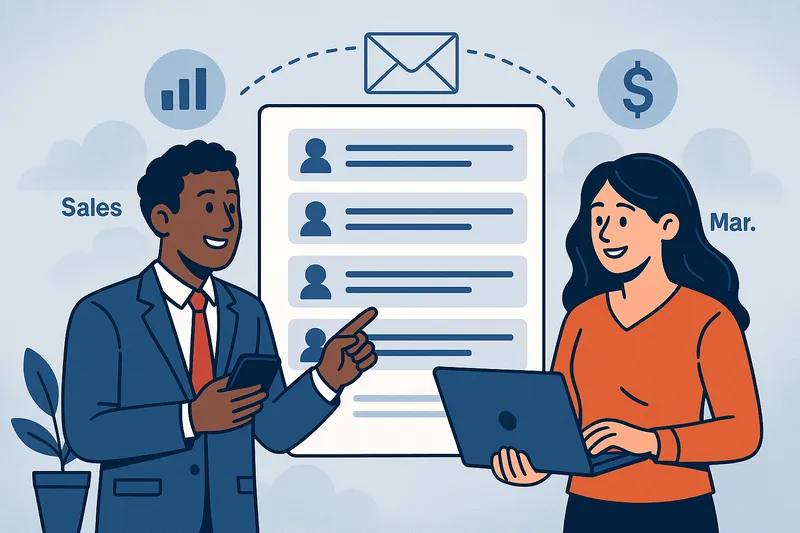
Most companies waste resources because their sales and marketing teams work from different contact lists, leading to duplicate outreach, inconsistent messaging, and missed opportunities. The solution? A shared, strategically-built email list that both teams use for their respective activities. When sales and marketing align on the same target accounts and contacts, companies see 36% higher customer retention and 38% higher sales win rates. This article outlines how to build and leverage a shared email list that turns marketing touchpoints into sales conversations and creates a unified revenue engine.
The Disconnect That Kills Conversions
Picture this: Your marketing team just launched a brilliant LinkedIn campaign targeting CTOs at mid-market SaaS companies. Meanwhile, your sales development team is cold-emailing the same CTOs with completely different messaging. The result? Confused prospects, wasted ad spend, and frustrated teams pointing fingers at each other.
This scenario plays out daily across thousands of B2B companies. Marketing generates “leads” that sales dismisses as low quality. Sales builds their own prospect lists without considering marketing’s insights. Both teams work harder, but revenue growth stagnates.
The root cause isn’t poor execution or bad intentions—it’s misaligned data. Your sales and marketing teams don’t need more leads—they need the same ones.
A shared, well-defined, and enriched email list serves as the bridge between marketing touchpoints and sales conversations, transforming how your revenue teams collaborate and convert prospects into customers.
Why Sales and Marketing Need to Align on Target Accounts and Contacts
The traditional approach creates silos that kill conversions. Marketing typically focuses on generating volume—casting wide nets to capture as many leads as possible. Sales prioritizes quality, preferring to work smaller lists of highly-qualified prospects they can research and personalize outreach for.
These separate approaches lead to separate tools, separate goals, and ultimately, separate lists. The consequences are costly:
Duplicate outreach confuses prospects and damages brand perception. When the same person receives a marketing email about “streamlining operations” and a sales email about “cutting costs” within days of each other, your company appears disorganized and generic.
Inconsistent messaging dilutes your value proposition. Marketing might emphasize innovation while sales focuses on ROI, leaving prospects unclear about your core benefits.
Wasted resources multiply when teams target different audiences. Ad spend targets one set of companies while SDR effort focuses on another, reducing the compounding effect of multi-touch engagement.
Research consistently shows that alignment drives results. Companies with aligned marketing and sales functions achieve 36% higher customer retention and 38% higher sales win rates. When both teams target the same accounts and personas, they create reinforcing touchpoints that accelerate deal velocity and improve win rates.
A truly shared email list goes far beyond combining two spreadsheets. It represents a strategic asset built from aligned thinking and enriched with actionable intelligence.
The foundation starts with a mutually defined Ideal Customer Profile (ICP) that both teams helped create. This isn’t marketing’s buyer persona or sales’ target account profile—it’s a unified definition of the companies and people most likely to buy, based on historical data and market insights both teams contribute.
The list gets enriched with firmographics and technographics that matter for both marketing campaigns and sales conversations. Company size, industry, and revenue help marketing segment campaigns while technology stack and recent funding events give sales conversation starters.
Smart shared lists include multiple stakeholders per account to enable multi-threading. While marketing might nurture the entire buying committee with educational content, sales can simultaneously build relationships with individual decision-makers and influencers.
Finally, effective shared lists are tagged and segmented for persona-specific messaging. The CTO and CFO at the same company need different value propositions, but they should feel like they’re engaging with the same vendor throughout their buying journey.
Shared List vs. Traditional Approach: Key Differences
Aspect
Traditional Separate Lists
Shared Strategic List
Target Audience
Different prospects for each team
Same accounts, coordinated contacts
Messaging
Disconnected value propositions
Consistent, reinforcing messages
Data Quality
Varies by team/tool
Unified, regularly updated
Outreach Timing
Random, often overlapping
Coordinated sequence
Attribution
Unclear source of conversions
Full funnel visibility
Resource Efficiency
Duplicate efforts, wasted spend
Maximized ROI from combined efforts
Prospect Experience
Confusing, inconsistent
Professional, cohesive
Results
20-30% lower win rates
38% higher win rates
How to Build It Together: A Joint Sales-Marketing Workflow
Creating a shared email list requires collaboration from day one. Here’s the step-by-step process that successful revenue teams follow:
Step 1: Co-define the Ideal Customer Profile
Bring sales and marketing leaders together to analyze your best customers. Look at industry, company size, geographic location, and buying triggers. Include technographic data like tools they use and trigger events like recent funding or leadership changes. Both teams should contribute insights from their respective touchpoints with prospects and customers.
Step 2: Identify Target Accounts (Tiers 1, 2, 3)
Build a shared account list organized by priority tiers. Tier 1 accounts get the highest-touch treatment from both teams. Tier 2 accounts receive regular nurturing with periodic sales outreach. Tier 3 accounts enter automated workflows with sales activation based on engagement thresholds.
Step 3: Layer in Decision-Makers
For each target account, identify the complete buying committee. Marketing needs awareness-stage contacts to nurture with educational content. Sales needs decision-makers and influencers for direct outreach. The same list serves both needs when properly segmented.
Step 4: Enrich and Verify Contacts
Raw contact data needs human verification and recent updates to ensure deliverability and relevance. This includes verifying email addresses, updating job titles, and confirming the person is still with the company. Outdated data kills campaigns and damages sender reputation.
Step 5: Sync Across Platforms
The shared list needs to flow seamlessly into your CRM, marketing automation platform, sales engagement tools, and advertising platforms like LinkedIn and Google. Consistent data across systems enables coordinated campaigns and accurate attribution.
How Marketing Uses the List
With a shared list in place, marketing can focus on warming up prospects before sales reaches out. This creates a more receptive environment for sales conversations and improves response rates.
Warm-up campaigns introduce your brand and value proposition through newsletters, webinars, and educational content. Marketing tracks who engages with what content, building intelligence that sales can leverage in their outreach.
Retargeting campaigns on LinkedIn, Google, and other platforms keep your company visible to prospects between direct sales touchpoints. When an SDR emails someone who’s been seeing your ads for weeks, the response rate improves dramatically.
Personalized nurture journeys deliver relevant content based on job role, industry, and demonstrated interests. The CFO receives ROI-focused content while the CTO gets technical deep-dives, but both paths reinforce the same core value proposition.
Lead scoring and handoffs become more meaningful when marketing can pass warm leads to sales with complete activity history. Instead of “this person downloaded a whitepaper,” marketing can say “this person engaged with three pieces of content about data security and attended our compliance webinar.”
How Sales Uses the Same List
Sales teams working from the shared list can prioritize their efforts more effectively and personalize their outreach using marketing intelligence.
Prioritized outreach focuses on accounts and contacts showing the highest engagement with marketing content. An SDR might start their day by calling prospects who attended yesterday’s webinar rather than working through a cold list alphabetically.
Cold email sequences and follow-up workflows become more relevant when sales can reference marketing touchpoints. “I noticed you downloaded our guide on API security” lands better than “I hope this email finds you well.”
Multi-threading across job roles within target accounts creates internal alignment at the buying organization. While marketing nurtures the broader team with educational content, sales can build relationships with individual stakeholders and coordinate their buying process.
Insights from marketing touches help sales personalize their approach. Knowing someone attended a webinar about compliance challenges gives the SDR a specific conversation starter and value proposition to lead with.
Real Results: What Happens When They Work Off the Same List
The benefits of sales and marketing alignment around shared data compound over time. Companies that implement shared email lists consistently report several key improvements:
Better message consistency leads to more replies: When prospects receive coordinated messaging across touchpoints, they develop a clearer understanding of your value proposition and are more likely to engage in sales conversations.
Higher engagement accelerates deal velocity: Prospects who’ve been nurtured by marketing before sales reaches out move through the pipeline faster because they’re already familiar with your company and solution.
Clear attribution enables better forecasting and ROI tracking: When both teams work from the same list, you can accurately track the customer journey from first marketing touch to closed deal, improving your ability to predict and optimize revenue performance.
Fewer missed opportunities from uncoordinated outreach: Shared lists prevent situations where marketing and sales unknowingly compete for the same prospect’s attention or where warm leads fall through the cracks between systems.
What to Avoid: Common Pitfalls
Even well-intentioned teams can undermine their shared list efforts through common mistakes:
Not keeping the list updated and enriched regularly: Contact data decays quickly—people change jobs, companies get acquired, and email addresses become invalid. Without regular maintenance, your shared list becomes a liability that hurts deliverability and wastes effort.
Targeting too broad or generic an audience: The temptation to cast a wide net often leads to diluted messaging and poor results. A smaller, well-defined list of ideal prospects outperforms a large, generic database every time.
Not syncing across systems: If your CRM shows different contact information than your marketing automation platform, coordination becomes impossible. Invest in data hygiene and system integration to maintain a single source of truth.
Treating the list as static instead of dynamic: Your shared list should evolve as you learn more about your market and ideal customers. Regular reviews and updates ensure your targeting stays relevant and effective.
How Accurate List Enables This Shared Motion
Building and maintaining a high-quality shared email list requires significant time and expertise that most companies lack internally. This is where Accurate List provides crucial support for revenue teams looking to align their efforts.
Accurate List specializes in building fresh, custom, human-verified email lists tailored to your sales and marketing team’s shared ICP. Rather than selling you a generic database, they research and build lists specific to your target accounts and personas.
Their lists include multiple stakeholders per account, enabling the multi-threading approach that makes shared lists so effective. You get the CMO, CTO, and CFO at your target companies, not just one generic contact.
Human verification ensures the contacts are current and reachable, avoiding the deliverability issues that plague aged databases. This attention to data quality is crucial for both marketing campaigns and sales outreach.
The service is more cost-effective than subscription databases like ZoomInfo, making it ideal for companies running targeted ABM campaigns or niche market plays where generic databases provide limited value.
It’s worth noting that Accurate List focuses on data quality rather than outreach tools—they don’t provide built-in sequencing or automation features. However, their lists integrate seamlessly into your existing CRM, marketing automation, and sales engagement platforms, fitting into your current workflows while improving data quality.
Align the List, Align the Revenue
The fundamental truth about B2B revenue generation is simple: if your teams target different people, they build different funnels. Marketing creates awareness with one audience while sales pursues conversations with another, reducing the compounding effect that makes modern revenue teams successful.
A shared email list creates shared goals, shared messaging, shared timing, and ultimately, shared results. Whether you’re running account-based marketing campaigns or scaling cold outreach, success starts with aligning your data.
The companies winning in today’s competitive market aren’t necessarily the ones with the biggest marketing budgets or the largest sales teams—they’re the ones whose revenue teams work together toward common goals using common data.
Ready to align your sales and marketing efforts around a shared email list?Contact Accurate List to see how a custom-built, sales-marketing aligned email list can transform your revenue performance.
Frequently Asked Questions
Q: How often should we update our shared email list?
A: Contact data should be refreshed quarterly at minimum, with continuous updates for high-priority accounts. Email verification should happen before each major campaign to maintain deliverability.
A: Quality trumps quantity. Most successful teams work with 500-2,000 highly-targeted contacts rather than massive generic databases. The exact size depends on your market size and sales capacity.
Q: How do we prevent sales and marketing from overwhelming prospects with too many touchpoints?
A: Establish clear communication protocols and use your CRM to track all outreach. Marketing should pause nurture sequences when sales begins active outreach, and sales should reference marketing touchpoints in their messaging.
Q: What metrics should we track to measure shared list effectiveness?
A: Focus on engagement rates (email opens, click-throughs), conversion rates from marketing qualified leads to sales qualified leads, deal velocity for contacts on the shared list vs. other sources, and overall pipeline attribution.
Q: How do we handle prospects who engage with marketing but don’t respond to sales outreach?
A: Create a feedback loop where sales informs marketing about non-responsive contacts. Marketing can then adjust their nurture sequences or try different messaging approaches before sales attempts follow-up outreach.
Q: Should we segment our shared list by company size, industry, or job role?
A: All three. Company size determines messaging complexity, industry affects pain points and use cases, and job role drives value proposition focus. Your CRM should allow filtering by any combination of these attributes.
Q: What’s the biggest mistake companies make when implementing shared email lists?
A: Rushing the implementation without proper data hygiene and system integration. Taking time to clean and standardize data across platforms prevents confusion and ensures smooth collaboration between teams.
Q: How do we get buy-in from sales reps who prefer building their own prospect lists?
A: Start with your highest-performing reps and show them the enhanced context and intelligence available from marketing-warmed prospects. Success stories from early adopters will convince skeptical team members.
Q: Can this approach work for companies with long sales cycles?
A: Absolutely. In fact, shared lists are even more valuable for complex sales because they ensure consistent messaging across the extended buying journey. Marketing can nurture prospects for months while sales builds relationships with key stakeholders.
Q: What integration challenges should we expect between marketing and sales tools?
A: The most common issues involve data formatting inconsistencies and duplicate records. Invest in proper data mapping and deduplication processes, and consider using a CDP (Customer Data Platform) if you have multiple systems to synchronize.
TLDR: The Data Quality Crisis and Why Fresh Lists Matter
The Problem: Most businesses are burning through marketing budgets with aged databases, bloated subscriptions, and poor targeting that result in low response rates and high bounce rates.
The Solution: Fresh, human-verified prospect lists built specifically for your ICP (Ideal Customer Profile). While platforms like ZoomInfo and Apollo offer scale, Accurate List delivers quality over quantity with 100% human-verified contacts built on-demand for your specific targeting needs. No stale databases, no contract lock-ins—just fresh data that actually converts.
Bottom Line: If you’re tired of 2-5% response rates from database-driven outreach, it’s time to switch to custom-built, verified prospect lists that match your actual customers.
Introduction
Data quality isn’t just a nice-to-have—it’s the foundation of every successful outbound campaign. Yet most sales and marketing teams are stuck with the same frustrating cycle: purchasing expensive database subscriptions, dealing with outdated contact information, and watching their email campaigns bounce or get ignored.
The challenge is real: aged databases with contacts that left their companies months ago, bloated subscriptions that lock you into paying for millions of contacts you’ll never use, and lack of precise targeting that matches your actual ideal customer profile.
This comprehensive guide cuts through the marketing noise to give you a no-fluff, comparative analysis of the top 11 business email list and data enrichment providers in 2025. Whether you’re a startup looking for cost-effective solutions or an enterprise team needing scale, we’ll help you choose the right provider for your growth strategy.
1. Accurate List
Best for: Fresh, Human-Verified, Custom-Built Prospect Lists
Strengths
Accurate List takes a fundamentally different approach to B2B prospecting. Instead of giving you access to a massive, aging database, every list is built from scratch based on your detailed customer profiling and specific requirements.
Every contact is 100% human-verified, meaning real people research and validate each prospect before delivery. This isn’t automated scraping or database pulls—it’s custom research that ensures you’re reaching the right person at the right company with current contact information.
This approach is ideal for hyper-niche targeting, startups with specific ICPs, and companies that have struggled with the spray-and-pray approach of traditional databases. The human verification process results in significantly higher deliverability rates because contacts are recently validated and enriched.
The pricing model is refreshingly transparent and often more affordable than subscription platforms, especially for lean teams running account-based marketing (ABM) campaigns or companies that don’t need access to millions of contacts they’ll never use.
Weaknesses
Accurate List doesn’t include built-in email sending or sequencing tools (though this is reportedly in development). The service operates on a request-and-delivery model rather than offering instant access through a SaaS interface, which means you need to plan your campaigns in advance.
Best Use Cases
Perfect for GTM teams that want lists built specifically for their needs rather than pulling from generic, outdated records. Ideal for companies that have been struggling with low response rates from traditional database-driven outreach and want to focus on quality over quantity.
2. ZoomInfo
Best for: Enterprise-Scale Data and Platform Integration
Strengths
ZoomInfo offers one of the largest B2B contact databases available, with extensive coverage across industries and company sizes. Beyond basic contact information, they provide comprehensive sales intelligence including intent data, technographics, and organizational charts.
The platform includes integrated outreach tools, CRM enrichment capabilities, and automation features that can streamline your entire sales process. For large enterprise teams, the breadth of integrations and the ability to scale across multiple use cases makes ZoomInfo a compelling choice.
Weaknesses
The cost is often prohibitive for startups and small teams, with annual contracts that can reach six figures. Despite the massive database, many records are outdated—often 6-18 months or more—which impacts deliverability and response rates.
ZoomInfo’s contract lock-ins and limited flexibility around targeting can be frustrating for teams that need to pivot quickly or focus on specific niches. The sheer size of the platform can also make it overwhelming for smaller teams that just need clean, targeted prospect lists.
3. Apollo.io
Best for: SMBs Needing Data Plus Email Sequences
Strengths
Apollo has gained significant traction as an affordable all-in-one sales engagement and prospecting platform. The combination of contact data, Chrome extension for prospecting, email sequencing, and CRM synchronization makes it popular among startups and individual SDRs.
The platform offers good value for teams that need both data and outreach capabilities in a single solution, with pricing that’s accessible for smaller companies and growing sales teams.
Weaknesses
Data quality can be inconsistent, with email bounce rates often higher than desired unless you invest in additional validation tools. Coverage in niche markets or international regions is limited compared to more established providers.
For companies with complex or highly specific ICPs, Apollo’s match rates can be disappointing, often requiring significant manual filtering to find truly relevant prospects.
4. Cognism
Best for: GDPR-Compliant Data in EMEA and UK
Strengths
Cognism stands out for its commitment to GDPR compliance, making it the go-to choice for companies operating in European markets. They offer intent signals and mobile phone numbers that can be valuable for multi-channel outreach approaches.
The data quality in EU and UK markets is generally cleaner compared to other providers, reflecting their focus on regulatory compliance and regional expertise.
Weaknesses
The geographic focus means limited coverage outside of European markets. Pricing is expensive compared to alternatives with similar reach, and there’s less customization available compared to bespoke providers.
For global companies or those primarily focused on North American markets, Cognism’s value proposition diminishes significantly.
5. Lusha
Best for: Quick Prospecting from LinkedIn
Strengths
Lusha’s Chrome plugin makes it incredibly easy to extract contact information directly from LinkedIn profiles. The tool is user-friendly and fast, making it popular for high-volume prospecting activities.
Entry-level pricing is affordable, making it accessible for individual contributors and small teams just getting started with outbound prospecting.
Weaknesses
Accuracy rates for B2B emails and direct phone numbers can be inconsistent. The platform offers limited targeting filters, making it more of a contact discovery tool than a comprehensive prospecting solution.
Lusha is primarily designed for top-of-funnel prospecting rather than deep data enrichment or sophisticated segmentation.
6. LeadIQ
Best for: Sales Teams Focused on LinkedIn-Based Prospecting
Strengths
LeadIQ offers smooth LinkedIn integration that appeals to SDRs who do most of their prospecting through social selling. The platform integrates well with popular sales tools like Salesforce and Outreach.
For teams that have built their prospecting workflow around LinkedIn, LeadIQ can streamline the process of capturing and managing prospect information.
Weaknesses
Data validation isn’t always reliable, creating risk of bounced emails and poor deliverability. The platform isn’t designed for deep segmentation or niche targeting, limiting its effectiveness for sophisticated prospecting strategies.
The pricing can be expensive relative to the features and data quality provided.
7. UpLead
Best for: Mid-Market Companies Wanting Clean Data
Strengths
UpLead focuses on providing clean, verified B2B contacts with useful technographic data and filtering options. They offer pay-as-you-go pricing models that can be more flexible than annual subscriptions.
The platform includes data enrichment capabilities and intent data that can help prioritize outreach efforts.
Weaknesses
Coverage in niche verticals or smaller markets isn’t as comprehensive as larger providers. The user interface and feature set can feel dated compared to more modern alternatives.
List size and export limitations can restrict larger campaigns, making it less suitable for high-volume outreach programs.
8. Clay
Best for: Data Automation Nerds and Growth Hackers
Strengths
Clay is like “Zapier for sales operations,” offering powerful enrichment workflows that combine data from 40+ APIs. For technical teams, it provides unprecedented flexibility in building custom prospecting and enrichment processes.
The platform excels at creating sophisticated, personalized outbound sequences using multiple data sources and automation triggers.
Weaknesses
There’s a steep learning curve—Clay is more of a data toolkit than a ready-to-use list provider. Getting optimal results requires technical setup and ongoing maintenance.
Clay doesn’t inherently verify data quality unless paired with additional email validation tools, which can impact deliverability.
9. Demandbase
Best for: Account-Based Marketing at the Enterprise Level
Strengths
Demandbase provides deep firmographic and intent data specifically designed for ABM campaigns. Strong integrations with advertising platforms and CRMs make it powerful for mature sales and marketing alignment strategies.
For enterprise teams running sophisticated ABM programs, Demandbase offers the account-level insights needed to execute complex, multi-touch campaigns.
Weaknesses
The platform is expensive and overbuilt for smaller companies or teams just getting started with ABM. It’s not optimized for email-based SDR workflows, focusing more on account intelligence than individual contact accuracy.
Like many intent-focused platforms, account-level signals don’t guarantee that individual contact information is current or accurate.
10. Seamless.ai
Best for: Scraping Contact Info in Real Time
Strengths
Seamless.ai uses artificial intelligence to scrape and verify contact details in real-time. Some plans offer unlimited contact views, and the platform integrates with popular outreach tools.
For teams that need to quickly gather contact information across a wide range of prospects, the AI-powered approach can be efficient.
Weaknesses
High bounce rates are common unless contacts are further verified through additional tools. The “unlimited” promise often leads to less curated, lower-quality data.
The platform isn’t ideal for narrow ICP targeting or companies that need precise segmentation capabilities.
11. Hunter.io
Best for: Finding Email Addresses by Domain or Name
Strengths
Hunter.io excels as a domain-level email discovery tool, making it easy to find contact information when you know the company and person’s name. Free plans are available for small-scale use, and it integrates well with cold email tools like Mailshake.
For simple email discovery tasks, Hunter offers a straightforward, affordable solution.
Weaknesses
The platform doesn’t provide firmographic data or role-based filtering capabilities. There’s no guarantee of email accuracy without additional validation steps.
Hunter isn’t scalable for full ICP-based prospecting campaigns that require sophisticated targeting and segmentation.
Final Comparison
Provider
Data Freshness
Human Verified
Custom Targeting
Email Tool
Cost
Best For
Accurate List
✅ (On-demand)
✅
✅
❌
💰💰
Niche targeting, high accuracy
ZoomInfo
❌
❌
❌
✅
💰💰💰
Enterprise sales teams
Apollo.io
❌
❌
❌
✅
💰
SMB sales with automation
Cognism
✅ (EMEA)
✅
Limited
✅
💰💰
GDPR-compliant outreach
Lusha
❌
❌
❌
✅
💰
Quick LinkedIn prospecting
LeadIQ
❌
❌
❌
✅
💰💰
LinkedIn-based outbound
UpLead
✅
✅
Moderate
❌
💰💰
Clean mid-market data
Clay
❌
❌
✅ (via APIs)
❌
💰💰
Data automation workflows
Demandbase
❌
❌
✅ (for ABM)
❌
💰💰💰
Enterprise ABM strategies
Seamless.ai
❌
❌
❌
✅
💰
Scraping at scale
Hunter.io
❌
❌
❌
❌
💰
Small batch prospecting
Conclusion
Your outbound results are only as good as your data. If you’re tired of bloated subscriptions, stale databases, and response rates that barely crack 2-3%, it’s time to fundamentally rethink your approach to prospecting.
The traditional model of paying for access to massive databases filled with outdated contacts is broken. Modern sales teams need fresh, verified data that matches their specific ideal customer profiles—not generic lists that force them to spray and pray.
Accurate List represents the future of B2B prospecting: quality over quantity, custom targeting over generic databases, and human verification over automated scraping. When every contact is researched and verified specifically for your campaign, your email deliverability improves, your response rates increase, and your sales team can focus on having conversations instead of managing bounced emails.
The choice is yours: continue paying for stale data that wastes your time and budget, or invest in fresh, verified prospect lists that actually drive results.
Frequently Asked Questions (FAQs)
Q: How does Accurate List ensure data quality compared to traditional database providers?
A: Unlike traditional providers that rely on aging databases, Accurate List builds every prospect list from scratch using human researchers. Each contact is individually verified and researched based on your specific requirements, ensuring you receive current information rather than data that might be 6-18 months old. This human verification process results in significantly higher deliverability and response rates.
Q: Is Accurate List more expensive than subscription-based platforms?
A: Accurate List often costs less than enterprise database subscriptions because you only pay for the contacts you actually need. Instead of annual contracts for access to millions of outdated contacts, you get precisely targeted, fresh data. For most companies, especially those running focused ABM campaigns or with specific niche targeting, this approach is more cost-effective than bloated database subscriptions.
Q: How long does it take to receive a custom prospect list from Accurate List?
A: Turnaround times depend on the complexity and size of your requirements, but most custom lists are delivered within 5-7 business days. This planning requirement actually benefits most campaigns, as it forces teams to think strategically about their targeting rather than rushing into spray-and-pray approaches.
Q: Can I integrate Accurate List data with my existing CRM and email tools?
A: Yes, Accurate List delivers data in standard formats (CSV, Excel) that can be easily imported into any CRM or email platform. While they don’t currently offer built-in email sending tools, the verified data works seamlessly with platforms like HubSpot, Salesforce, Outreach, Apollo, and others.
A: Human verification means real people research each prospect to ensure they’re still at the company, in the right role, and match your targeting criteria. AI scraping often pulls outdated information or mismatches contacts to companies. Human verification also includes validation of email addresses and phone numbers, resulting in higher deliverability and fewer bounced emails.
Q: How specific can I get with targeting requirements?
A: Very specific. Accurate List specializes in hyper-niche targeting based on your ideal customer profile. Whether you need “SaaS companies with 50-200 employees using Salesforce in the Pacific Northwest” or “manufacturing companies that recently received Series B funding,” the human research approach allows for complex, nuanced targeting that database filters can’t match.
Q: Do you offer international prospect data?
A: Yes, Accurate List can build prospect lists for international markets. The human research approach actually works better for international targeting than automated database pulls, as researchers can navigate local business directories, language differences, and regional nuances that automated systems often miss.
Q: How do response rates compare to traditional database providers?
A: Clients typically see 3-5x higher response rates compared to campaigns using traditional database providers. This improvement comes from the combination of fresh, verified contact information and precise targeting that ensures you’re reaching genuinely relevant prospects rather than casting a wide net with outdated data.
Q: What information is included with each prospect?
A: Standard deliverables include verified email addresses, direct phone numbers (when available), LinkedIn profiles, company information, job titles, and any specific data points you request. The research process can also include custom fields relevant to your sales process, such as technology stack, recent funding, or specific business challenges.
Q: Can Accurate List help with account-based marketing campaigns?
A: Absolutely. The custom research approach is ideal for ABM campaigns where you need detailed information about specific target accounts. Researchers can identify multiple contacts within target accounts, understand organizational structures, and provide the account intelligence needed for sophisticated, multi-touch ABM strategies.
Outbound isn’t broken. Your targeting is. Most teams chase quantity over quality, blasting generic emails to unverified lists. The result? Terrible response rates that make everyone think cold email is dead. Reality check: B2B buyers still respond to relevant, well-timed outreach. The secret isn’t sending more emails. It’s sending the right emails to the right people at the right time.
The Cold Email Funeral That Never Happened
You’ve probably heard it a thousand times: “Cold email is dead.” Sales forums are full of frustrated SDRs sharing their 0.3% response rates. Marketing leaders are pulling budget from outbound campaigns. Everyone’s jumping on the “outbound doesn’t work anymore” bandwagon.
Here’s the thing. They’re wrong.
Sure, buyers are pickier. Spam filters are smarter. Inboxes are crowded. But here’s what nobody wants to admit: the problem isn’t outbound. It’s poor targeting.
If your response rate is 0.3%, it’s not because cold email is broken. It’s because your list is.
The Real Reason Most Outbound Fails
Walk into any sales floor and you’ll see the same mistakes happening over and over:
Teams obsess over volume. They buy massive lists with 100,000 contacts and think bigger equals better. They send the same generic template to CEOs and interns alike. They blast emails to companies that would never buy their product.
The targeting is completely backwards. They’re hitting wrong job titles, irrelevant industries, companies way outside their ideal customer profile. No personalization. No segmentation. Just spray and pray.
Then there’s the data quality nightmare. Bounce rates through the roof because half the emails don’t exist. Sender reputation tanks. Deliverability plummets.
“Outbound isn’t dead—it’s just misused. You wouldn’t propose marriage to a stranger in a parking lot. Don’t do it in the inbox either.”
The whole approach is fundamentally flawed.
How B2B Buyers Actually Buy Today
Despite what the doomsayers claim, B2B purchases are still driven by outreach. When it’s relevant.
Decision-makers are busier than ever, but they’re still open to value. They still have problems to solve and budgets to spend. The difference? They’re ruthlessly selective about what deserves their attention.
They respond to emails that solve clear problems. Messages from people who actually understand their business. Outreach that’s well-timed and aligned with their current needs or growth stage.
Research shows that 60% of B2B buyers say well-timed outreach helped them discover new solutions. The key word here is “well-timed.” Not random. Not generic. Strategic.
You’re Not Just Sending Emails. You’re Starting Conversations.
Time for a mindset shift. Stop thinking about spamming inboxes. Start thinking about targeting the right humans.
Relevance beats reach every single time.
When you nail your list, everything else gets easier. Personalization becomes scalable. Bounce rates drop. Reply rates climb. Booking rates actually matter.
What does “the right list” look like?
First, accurate firmographics. You need real company data, not outdated information scraped from random websites. Second, role-based targeting that distinguishes between decision-makers and influencers. Third, tech stack and intent signals that show buying readiness. Fourth, verified email deliverability status.
Without these foundations, you’re building on sand.
Anatomy of a Great Outbound List
Let’s get specific. Say you’re selling marketing automation software to mid-market B2B companies.
Your ideal customer profile might look like this: B2B companies with 200-1000 employees, currently using basic email tools like Mailchimp, showing growth signals like recent funding or aggressive hiring, with marketing leaders who have decision-making authority.
Now you build your list around industry and employee size. Layer in technographics to find companies using complementary tools. Add buying signals like funding announcements, product launches, or expansion news. Target specific role titles with actual seniority.
Most importantly: verified emails only.
Here’s the difference:
Bad List:
Generic job titles (“Marketing Manager” at any company)
No size filters (startups to enterprise)
Unverified emails
No intent signals
Same message to everyone
Smart List:
Specific roles (“VP Marketing” at 200-1000 employee companies)
Current tech stack data
Verified, deliverable emails
Recent growth indicators
Segmented messaging by company stage
The results speak for themselves.
Case in Point: How One SDR Team 10x’ed Replies with Better Data
Take the team at a growing SaaS company. They started like everyone else: buying cheap, scraped lists and sending thousands of generic emails weekly. Response rate hovered around 0.5%. Bounce rate was 15%. Pipeline contribution was basically zero.
Then they switched strategies. Instead of 10,000 random contacts, they built a targeted list of 500 prospects. Series A and B companies in their sweet spot. Recent hiring announcements in sales and marketing. Verified emails only.
They researched each company’s tech stack. Personalized messages around specific pain points. Referenced recent company news and growth milestones.
The results? Bounce rate dropped to 2%. Response rate jumped to 5%. They opened conversations with 15+ enterprise prospects in their first quarter. Three of those turned into six-figure deals.
Same team. Same email platform. Different approach.
The Cold Email Checklist for 2025
Want to win at outbound? Here’s what you actually need:
Crystal-clear ICP: Know exactly who buys from you and why
Verified, segmented contact list: Quality over quantity, always
Personalization strategy: Show you understand their business
Follow-up plan: One email isn’t enough, but don’t be annoying
The tools are here. The channels work. The problem isn’t email. It’s your starting point.
Final Take: Outbound Isn’t Dead. Lazy Targeting Is.
Let’s be clear about something: outbound is still one of the most effective B2B channels. When done right.
The teams crying about “outbound being dead” are the same ones sending mass emails to unqualified lists. They’re solving the wrong problem with the wrong approach.
Stop blasting. Start narrowing. Begin with the right list and outbound becomes a scalable, predictable pipeline engine.
Your prospects are out there. They have budgets. They have problems you can solve. They’re just not on your current list.
Time to fix that.
FAQs
Q: How do I know if my current list is good enough?
A: Check your metrics. If your bounce rate is above 3%, reply rate below 2%, or you’re not booking meetings, your list needs work. Good lists have verified emails, match your ICP precisely, and include recent intent signals.
Q: What’s the ideal list size for outbound campaigns?
A: Smaller is better. 500 highly-targeted prospects will outperform 5,000 random contacts every time. Focus on quality and relevance over volume.
Q: How often should I refresh my contact lists?
A: Email addresses change constantly. Refresh your lists every 90 days minimum. Update job titles, company information, and verify deliverability status regularly.
Q: Should I still do outbound if my industry has long sales cycles?
A: Absolutely. Long sales cycles make targeting even more critical. Use intent signals, company growth indicators, and budget cycles to time your outreach better.
Q: How much personalization is enough?
A: Start with company-specific details: recent news, tech stack, or growth signals. Avoid generic “I saw your LinkedIn post” messages. Show you understand their business challenges specifically.
Q: What’s the biggest red flag in outbound list building?
A: Buying generic lists without verification. If you can’t trace where the contact data came from or when it was last updated, don’t use it. Your sender reputation depends on clean data.
The holiday season is a very important time of the year for businesses to be in touch with their customers, but it is also the most competitive. And with inboxes full of promotions, standing out requires strategy, creativity, and that personal touch. Statista reports that over 300 billion emails are sent every day, peaking during the holiday season. This sheer volume means your email needs to captivate your audience immediately, delivering value and reflecting the festive spirit.
A holiday email campaign is not just about selling discounts but building relationships and creating memorable experiences for your audience. Smart planning, using data, and designing with personalization will enable you to cut through the noise and make an impact.
Here are 13 actionable tips to make sure your holiday email campaigns shine:
1. Start Early and Plan Ahead
Timing is everything during the holidays. Start your campaigns early to capture attention before the flood of emails peaks. Holiday shoppers are increasingly starting their gift hunting earlier, with data showing that 42% of consumers begin their holiday shopping as early as October. By planning ahead, you can avoid the last-minute rush and ensure your campaigns are well-coordinated across all touchpoints. Create a detailed calendar for your holiday campaigns, outliningthedeadlines for themost critical events,suchas Black Friday, Cyber Monday, Christmas, and New Year‘s sales. Early planning also givesroom for testing and adjustments in order to maximize performance.
2. Craft Irresistible Subject Lines
Your subject line is your first impression. Make it count with:
Personalization: Use the recipient’s name or location.
Curiosity: Tease the email’s content (e.g., “A Holiday Surprise Just for You”).
According to Experian, emails with personalized subject lines stand out with open rates up to 26% greater, making it one great tool in your holiday strategy. Combine creativity and clarity to spark their interest, and compel your audience to click.
3. Segment Your Audience
Not all customers are alike, so don‘t send the same email to them. Segmentation allows you tosend content that resonates with specific groups. Consider segmenting your list based on:
Purchase history: Highlight products similar to what they’ve bought before.
Browsing behavior: Re-engage users who viewed products but didn’t buy.
Engagement level: Reward loyal customers with exclusive deals.
Geographic location: Tailor offers to regional preferences and time zones.
According to Mailchimp, segmented campaigns yield 14.31% higher open rates and 100.95% more clicks than non-segmented ones. Thus,knowingthe preferences of your audiencecanmake you create campaigns that feel personal and relevant, driving higher engagement and conversions.
4. Create Holiday-Themed Designs
Design is animportantpart of your email‘s effect. Festive colors, holiday-themed images, and animations can maketheseasonmerry and brightand grab attention. For example, use warm reds, greens, golds, and snowy whites to matchthe holiday look. However, besure to balance creativity with clarity—your design shouldbe clean, easy to navigate, and consistent with your brand identity.
Litmusstates that 58% of email opens occur on mobile devices, soresponsive design is a must. Test your email layout across various devices to ensure a seamless experience for your readers, whether theyare checking their inbox on a smartphone, tablet, or desktop.
5. Incorporate Exclusive Offers
Reward your subscribers with exclusive deals they can’t find elsewhere. Examples include:
Early access to sales: Give loyal customers a head start on your holiday deals.
Subscriber-only discounts: Offer unique promo codes to incentivize engagement.
Free shipping promotions: Highlight perks like free delivery to reduce cart abandonment.
Exclusive offers create a sense of privilege and encourage immediate action. According to Deloitte, 67% of shoppers prioritize retailers offering personalized and exclusive discounts during the holidays, making this tactic essential for driving sales.
6. Leverage Countdown Timers
Adding countdown timers to your emails creates urgency and encourages immediate action. Timers can be used for:
Limited-time sales: Highlight deals that expire soon.
Event registrations: Remind users of approaching deadlines.
Shipping cutoffs: Emphasize the last dates for guaranteed holiday delivery.
Studies indicate that countdown timers can increase conversion rates by up to 20%, as they leverage the psychological principle of scarcity. They not only grab attention but also nudge recipients toward faster decision-making.
7. Tell a Story
Tap into the emotional aspect of the holidays by sharing stories that resonate with your audience. Whether it’s a customer success story, a behind-the-scenes look at your business, or a charitable initiative, storytelling fosters a deeper connection.
For example, share how your company is giving back during the holidays or feature testimonials from happy customers who found the perfect gift through your brand. Emails with a narrative element see engagement rates increase by 22%, according to HubSpot, as they add authenticity and a personal touch to your campaigns.
8. Use Interactive Elements
Interactive emails engage readers and make your campaigns more memorable. Consider incorporating:
Gift guides with clickable links: Help customers find the perfect holiday gifts effortlessly.
Holiday trivia or games: Add a fun element to keep recipients engaged.
Polls and surveys: Involve your audience in shaping their experience.
Research from Martech Advisor shows that interactive emails generate 2x more conversions than static ones. By encouraging active participation, you can make your holiday emails more dynamic and enjoyable.
9. Optimize Send Times
Experiment with sending emails at different times to determine what works best for your audience. Early mornings, evenings, and weekends often see higher engagement during the holidays. Analyze past campaign data to identify optimal times for your specific audience.
Data from GetResponse suggests that emails sent between 8 AM and 10 AM or 6 PM and 8 PM achieve the highest open rates. Timing your emails strategically ensures they reach inboxes when recipients are most likely to engage.
10. Test, Analyze, and Optimize
Before sending your emails to your entire list, test them thoroughly. Use A/B testing to refine:
Subject lines: Determine which wording drives more opens.
Call-to-action buttons: Test colors, text, and placement for higher clicks.
Layouts: Identify designs that resonate with your audience.
Post-campaign, analyze metrics like open rates, click-through rates, and conversions to uncover insights. According to Omnisend, A/B testing can improve email performance by up to 49%, helping you optimize your strategy for maximum impact.
11. Include Strong Calls-to-Action (CTAs)
Every email should have a clear goal. Use concise and compelling CTAs such as:
“Shop the Sale”: Direct users to your holiday deals.
“Claim Your Discount”: Highlight unique offers.
“Order Now for Guaranteed Delivery”: Emphasize urgency for last-minute shoppers.
Place your CTA prominently, and repeat it where necessary for emphasis. Actionable CTAs boost click-through rates by 22%, according to Unbounce, making them a critical component of successful holiday campaigns.
12. Show Gratitude
The holidays are an excellent time to express appreciation. Thank your subscribers with heartfelt messages, loyalty rewards, or exclusive perks. For example:
Personalized thank-you emails: Acknowledge their support throughout the year.
Exclusive discounts: Offer a special holiday bonus to loyal customers.
Charitable initiatives: Share how their purchases contribute to meaningful causes.
According to Accenture, 43% of customers prefer brands that make them feel valued. By showing gratitude, you not only foster loyalty but also enhance your brand’s image.
13. Ensure Compliance
Make sure your holiday emails comply with regulations like GDPR or CAN-SPAM. This includes:
Including an easy-to-find unsubscribe link.
Ensuring your contact information is visible.
Avoiding misleading subject lines or content.
Non-compliance can lead to penalties and damage your brand’s reputation. Maintaining transparency and adhering to regulations ensures your campaigns are both ethical and effective.
Final Thoughts
Standing out in a crowded inbox during the holiday season isn’t easy, but it’s achievable with the right approach. Plan ahead, personalize your campaigns, and deliver value to your subscribers. By spreading holiday cheer through thoughtful and engaging emails, you’ll not only boost sales but also strengthen your customer relationships.
In the dynamic landscape of digital communication, email stands out as a pivotal instrument for effective business outreach. However, the complexity of securing a spot in the recipient’s inbox, particularly in the context of cold emails, presents an intricate challenge. The evolution of sophisticated spam filters has heightened the difficulty for senders to navigate the intricate web of algorithms and criteria determining email deliverability. Recent statistics underscore the magnitude of this challenge, revealing that a staggering 14.5 billion spam emails are sent globally every day, posing a significant hurdle for legitimate email senders.
As spam filters become more discerning, it is imperative for senders to adopt advanced strategies that go beyond conventional practices. The stakes are high, with studies indicating that over 20% of legitimate marketing emails never reach the inbox, landing instead in spam folders. This not only underscores the prevalence of stringent filtering mechanisms but also emphasizes the importance of proactive measures to enhance email deliverability.
This article aims to delve into the multifaceted challenges faced by senders in the realm of cold emails and provide insightful strategies to overcome these hurdles. By dissecting the latest statistics and shedding light on the evolving dynamics of spam filters, we aim to equip email marketers with the knowledge and tactics necessary to navigate the intricacies of contemporary email deliverability challenges successfully.
Building a high-quality email list is fundamental to the success of your email marketing endeavors. One of the primary pitfalls to avoid is relying on outdated email lists, which significantly increases the chances of your emails being flagged as spam. Instead, prioritize organic growth by encouraging permission-based opt-ins. This entails allowing users to voluntarily subscribe to your emails, ensuring that your audience is genuinely interested in your content. Employing a double opt-in process adds an extra layer of confirmation, validating the provided email addresses and confirming users’ intent to receive your emails.
Furthermore, maintaining a quality email list involves regular segmentation and maintenance. Segmenting your list based on criteria such as demographics or engagement levels allows for targeted content delivery, enhancing the relevance of your emails. Regular list maintenance is essential to remove invalid or inactive email addresses, ensuring you consistently reach an engaged audience. By providing value to subscribers, setting clear expectations on email frequency, and adhering to ethical practices, you not only bolster your email deliverability but also cultivate a responsive audience that actively engages with your content.
2. Authenticate Your Domain:
To bolster the credibility of your email communications, it’s imperative to authenticate your domain using advanced protocols such as SPF (Sender Policy Framework) and DKIM (DomainKeys Identified Mail). These protocols serve as formidable safeguards against unauthorized use of your domain, assuring both recipients and email service providers of the legitimacy of your messages. SPF, in particular, specifies which mail servers are authorized to send emails on behalf of your domain, mitigating the risk of spammers exploiting your identity. Simultaneously, DKIM adds a digital signature to your outgoing emails, allowing recipients to verify that the content has not been tampered with during transit.
Configuring these authentication protocols is a proactive measure that significantly contributes to the prevention of your emails landing in spam folders. By demonstrating to email service providers that you have taken steps to secure your domain and authenticate your communication, you build trust in your sender reputation. This trust, in turn, increases the likelihood of your emails successfully reaching recipients’ inboxes instead of being flagged as potential spam.
Furthermore, alongside SPF and DKIM, adopting DMARC (Domain-based Message Authentication, Reporting, and Conformance) can provide an additional layer of protection. DMARC builds on SPF and DKIM by specifying the actions that email providers should take when they encounter an unauthorized email using your domain. It allows you to receive reports on email authentication failures, empowering you to fine-tune your email authentication setup and further enhance your email deliverability. In essence, domain authentication is a multifaceted strategy that fortifies the integrity of your emails, ensuring that they traverse the digital landscape securely and are recognized as authentic by both email providers and recipients alike.
3. Craft Relevant and Personalized Content:
Crafting relevant and personalized content is an indispensable aspect of email marketing that extends beyond merely capturing the attention of your audience; it is a pivotal factor in ensuring your emails avoid the dreaded spam folder. Generic or poorly conceived emails often trigger spam filters, as they are perceived as mass-produced and lacking genuine value. To counter this, it is imperative to tailor your messages meticulously to your target audience, considering their interests, preferences, and behaviors. By doing so, you not only enhance the overall user experience but also demonstrate to both recipients and spam filters that your emails are meticulously curated and genuinely valuable.
Personalization goes beyond addressing recipients by their first name; it involves understanding the individual needs and pain points of your audience. Utilize data analytics and segmentation to create content that resonates with specific audience segments, delivering messages that feel tailor-made for each recipient. By incorporating personalized elements such as relevant recommendations, exclusive offers, or content based on past interactions, you establish a deeper connection with your audience. This personalized approach not only fosters engagement but also positions your emails as authentic and deserving of placement in the primary inbox, steering clear of spam classifications. Ultimately, the effort invested in crafting content that speaks directly to the unique interests of your audience not only enhances deliverability but also lays the foundation for stronger customer relationships and brand loyalty.
4. Mind Your Sending Frequency:
Mindful management of your email sending frequency is a strategic component in navigating the complexities of spam filters. The delicate balance between maintaining regular communication with your audience and avoiding spam classification requires a nuanced approach. Sending a large volume of emails in a short period is a red flag for spam filters, potentially resulting in your emails being diverted from inboxes to the dreaded spam folder.
Gradually increasing your email sending volume is a prudent strategy to establish and maintain a positive sending reputation. According to industry insights, businesses that meticulously manage their email sending frequency experience significantly higher deliverability rates. Studies show that companies maintaining a steady, consistent email sending pattern, without sudden spikes, are more likely to bypass spam filters and have their messages land in the recipients’ primary inboxes.
Consistency is paramount in email marketing success. Overloading recipients with emails in a short timeframe not only risks spam classification but also contributes to higher unsubscribe rates and diminished engagement. Research indicates that subscribers are more likely to disengage or mark emails as spam when confronted with excessive messaging. Striking the right balance, informed by your audience’s preferences, ensures that your emails are not only well-received but also contribute positively to your sender reputation, a critical factor in email deliverability.
To further enhance your approach, monitor key metrics such as open rates, click-through rates, and spam complaints. Regularly analyzing these metrics allows you to gauge the impact of your email sending frequency on recipient engagement and identify areas for refinement. By adopting a data-driven strategy and aligning your email frequency with the preferences of your audience, you not only safeguard against spam filters but also foster a positive and engaged subscriber base. In the ever-evolving landscape of email marketing, a thoughtful and measured approach to sending frequency is indispensable for sustained success.
5. Include a Clear and Honest Subject Line:
The subject line of your email serves as the gateway to capturing your recipient’s attention, and it plays a pivotal role in determining whether your email lands in the inbox or gets flagged as spam. Misleading subject lines have long been associated with spam emails and can significantly undermine the credibility of your communication. To ensure the legitimacy of your emails and enhance deliverability, it is crucial to adopt a transparent and honest approach in crafting subject lines.
Research underscores the importance of subject line honesty in email marketing. Studies indicate that emails with clear and straightforward subject lines experience higher open rates compared to those with ambiguous or deceptive titles. A study conducted by Litmus, a leading email marketing analytics platform, found that subject lines with a clear value proposition and relevance to the email content resulted in a 541% increase in user engagement.
Avoiding excessive punctuation, all capital letters, or overly promotional language is equally essential in steering clear of spam filters. Email service providers are equipped with sophisticated algorithms that detect such elements, and emails employing these tactics are often automatically filtered into spam folders. In fact, a report from Return Path, a global data solutions provider, reveals that emails with all capital letters in the subject line are 35% more likely to be marked as spam.
By adopting an honest and transparent approach in your subject lines, you not only adhere to ethical email marketing practices but also contribute to building trust with your audience. Trust is a cornerstone in email deliverability, and studies indicate that organizations that prioritize transparency in subject lines experience a notable reduction in spam complaints, solidifying their sender reputation.
In conclusion, the subject line is a critical element in the success of your email campaigns. By being transparent, avoiding deceptive tactics, and aligning your subject lines with the actual content of your emails, you not only enhance deliverability but also foster positive engagement with your audience. The statistics underscore the impact of subject line honesty on user behavior, emphasizing its significance in achieving long-term success in email marketing.
6. Provide Opt-Out Options:
In the realm of ethical email marketing, providing opt-out options is not just a legal requirement but a fundamental aspect of building trust with your audience. By including a clear and easily accessible unsubscribe link in your emails, you demonstrate a commitment to respecting recipients’ preferences and acknowledging their right to control their inbox. This not only aligns with regulatory standards, such as the CAN-SPAM Act, which mandates the inclusion of an opt-out mechanism, but it also speaks to your organization’s dedication to transparent and responsible communication.
Failing to provide a straightforward opt-out option can have significant repercussions beyond legal compliance. Studies have shown that emails lacking an easy and visible unsubscribe link are more likely to be marked as spam by recipients. In fact, according to research conducted by Litmus, a prominent email marketing analytics platform, a staggering 43% of users mark emails as spam simply because they couldn’t find the unsubscribe option easily. This underscores the critical role that opt-out mechanisms play not only in regulatory adherence but also in maintaining a positive sender reputation and mitigating the risk of spam complaints. As such, organizations should view opt-out options not just as a legal obligation but as a strategic element in nurturing a respectful and engaged email audience.
Maintaining the health and effectiveness of your email marketing strategy necessitates a proactive approach to list hygiene. As time progresses, email addresses within your list may evolve into inactive or bouncing entities, compromising the overall deliverability of your campaigns. Regularly cleaning your email list is akin to tending to a well-kept garden, ensuring that only vibrant and engaged subscribers receive your communications. This not only upholds the integrity of your sender reputation but also plays a pivotal role in reducing the likelihood of your emails being flagged as spam.
The benefits of routinely purging your email list extend beyond mere housekeeping. A study conducted by HubSpot, a leading inbound marketing and sales platform, found that organizations maintaining a clean email list experienced higher engagement rates and lower bounce rates. In fact, this study revealed that businesses with well-maintained lists achieved an average email deliverability rate of 90%, significantly surpassing the industry standard. By systematically removing invalid or inactive email addresses, you not only enhance the accuracy of your analytics but also optimize the performance of your email campaigns.
Furthermore, maintaining list hygiene aligns with industry best practices and email service providers’ guidelines. Internet Service Providers (ISPs) closely monitor the engagement levels of senders, and a consistently high bounce rate can trigger suspicions of spam-like behavior. Regularly cleaning your email list serves as a preventive measure, signaling to ISPs that you are committed to delivering relevant and valuable content to an actively engaged audience. In essence, a clean email list is not just a reflection of meticulous data management; it is a strategic imperative for achieving optimal deliverability, maximizing engagement, and fostering a positive sender reputation in the competitive landscape of email marketing.
8. Avoid Attachments and Excessive Links:
When it comes to optimizing email deliverability, steering clear of common triggers that may flag your emails as spam is essential. Attachments and an overabundance of links are two such triggers that can raise red flags for spam filters. The rationale behind this caution is rooted in the tactics commonly employed by spammers to disseminate malware or phishing attempts. To mitigate the risk associated with attachments and numerous links, a prudent strategy is to host large files externally and provide a hyperlink within your email. This not only circumvents potential filtering by spam algorithms but also contributes to a seamless user experience, as recipients can access the content at their discretion.
In addition to external hosting, limiting the number of links within your email messages is crucial for maintaining a positive sender reputation. Email service providers, in their ongoing efforts to combat phishing and fraudulent activities, scrutinize the ratio of links to content. A study by Return Path, a global data solutions provider, found that emails with an excessive number of links are more likely to be marked as spam. By exercising restraint in the inclusion of links and ensuring that they lead to legitimate and reputable destinations, you not only enhance the deliverability of your emails but also reduce the chances of triggering spam filters.
Moreover, keeping your emails succinct and avoiding an overwhelming number of links aligns with user preferences for clear and concise communication. A cluttered and link-heavy email can be perceived as overwhelming or, worse, as a potential security threat. By adopting a minimalist approach to links and attachments, you not only adhere to best practices for email deliverability but also contribute to a positive user experience, fostering trust and engagement with your audience.
Conclusion:
Successfully navigating the challenges of email deliverability, especially with cold outreach, requires a combination of technical measures and thoughtful content creation. By building a quality email list, authenticating your domain, personalizing content, and adhering to best practices, you can increase the chances of your emails reaching the inbox instead of being relegated to the spam folder. Remember, fostering trust and engagement with your audience is key to maintaining a positive sender reputation and achieving long-term email deliverability success.